
To purchase a license, simply select the plugin in question, choose the license, and click “buy.”
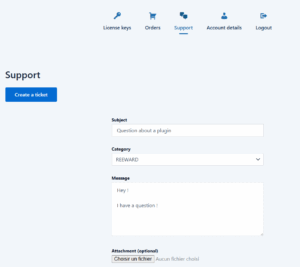
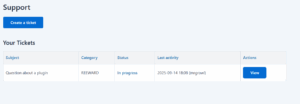
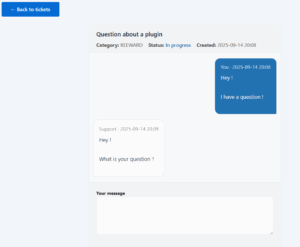
You can create a support ticket on the “Account” page under the “Support” tab. Our teams will do their utmost to respond to tickets within a reasonable time frame.
Before opening a support ticket, please ensure you have searched the documentation to see if the answer is already there.
To use your license key, the first step is to download and install the PRO version plugin. You can find the ZIP file in the My Account tab > License Keys.
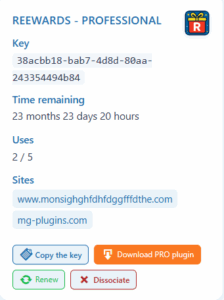
Once the PRO plugin has been downloaded and activated on your site, go to the “PRO” tab of the plugin and enter your license key.
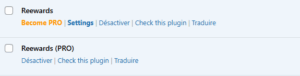
You must therefore have: The free plugin and the PRO version plugin on your site.
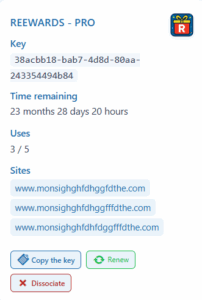
To renew a license key, simply go to the My Account > License Keys tab and select “Renewal” for the key tab.
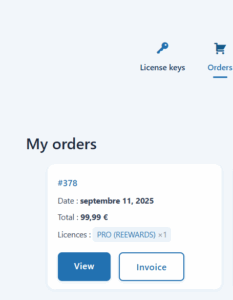
To obtain an invoice, simply go to My Account > Orders tab and click on Invoice. A PDF invoice will be sent to you.
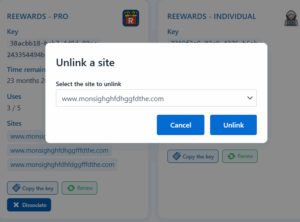
To unlink a site, simply go to the My Account > My License Keys tab and click on “Disassociate.” Just select the site you want to unlink and confirm.